
- 2025-09-18
- Comments
IOT BASED SMART STREET LIGHT (23EN001)
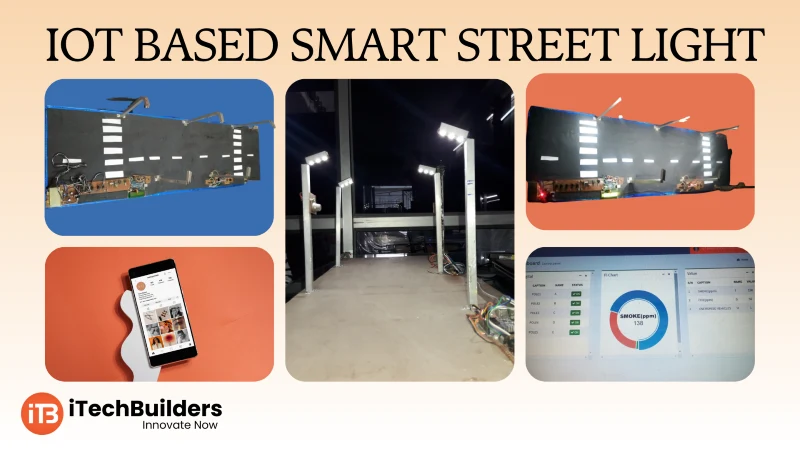
The IoT Based Smart Street Light project using Arduino + ESP-01 is a perfect beginner-friendly IoT application. It automatically controls street lights based on ambient light conditions using an LDR sensor and provides remote monitoring & control via the iTechBuilders IoT Platform. Students and hobbyists can learn automation, IoT connectivity, and cloud control in one practical project.

“Smart Street Light with Arduino and ESP-01 teaches beginners how to merge automation with IoT cloud control using the iTechBuilders IoT platform.”
Why Start with Smart Street Light?
- Simple project with Arduino + ESP-01
- LDR sensor controls light automatically
- IoT cloud integration with iTechBuilders platform
- Remote ON/OFF control from web or mobile
- Practical use case for smart cities
Key Features for Beginners
- Automatic light ON/OFF using LDR
- Arduino UNO as main controller
- ESP-01 for Wi-Fi and IoT connectivity
- Data logging & remote commands via iTechBuilders IoT
- Low-cost and scalable project
Hardware Basics
The project uses Arduino UNO to read an LDR sensor for detecting darkness. A relay/LED is used to simulate the street light. The ESP-01 Wi-Fi module connects the Arduino to the iTechBuilders IoT cloud for remote monitoring and control.
Connections:
- LDR Sensor ? A0 of Arduino
- Street Light (LED/Relay) ? D3 of Arduino
- ESP-01 TX/RX ? Arduino RX/TX (via voltage divider)
- ESP-01 VCC/CH_PD ? 3.3V supply
- GND ? Common ground
Quick Specs
- Controller: Arduino UNO/Nano
- Wi-Fi: ESP-01 (ESP8266)
- Sensor: LDR + Resistor
- Output: LED/Relay (Street Light)
- IoT: iTechBuilders IoT Cloud Platform
First Project: Smart Street Light
In this project, the street light automatically turns ON when it gets dark. The status (light ON/OFF, LDR value) is sent to the iTechBuilders IoT platform, and users can also remotely control the light from the cloud dashboard or app.
Arduino Code:
// IoT Smart Street Light (Arduino + ESP-01 + iTechBuilders IoT)

int ldrPin = A0;
int lightPin = 3;
int ldrValue = 0;

void setup() {
  pinMode(lightPin, OUTPUT);
  Serial.begin(9600); // For ESP-01 Communication
}

void loop() {
  ldrValue = analogRead(ldrPin);

  if (ldrValue < 500) { // Dark
    digitalWrite(lightPin, HIGH);
    Serial.println("LIGHT_ON"); // Send to IoT
  } else {
    digitalWrite(lightPin, LOW);
    Serial.println("LIGHT_OFF"); // Send to IoT
  }

  delay(2000); // Send data every 2 sec
}
Learning Outcomes:
- Learn LDR interfacing with Arduino
- Understand ESP-01 Wi-Fi communication
- Send sensor data to iTechBuilders IoT cloud
- Remotely monitor and control street lights
Next Steps & Applications
After building this project, learners can extend it with multiple street lights in a network, motion detection for energy saving, and data analytics on iTechBuilders IoT cloud. This project is a stepping stone towards Smart City automation.
Get Started with iTechBuilders IoT
iTechBuilders provides IoT starter kits, tutorials, and cloud platform access for students, schools, and IoT innovators. Build your own smart street light and expand it into smart city projects with real-time monitoring, dashboards, and automation. Contact us today to start your IoT journey with iTechBuilders.