


- 2025-09-19
- Comments
Facial Recognition Attendance System (25AI103)
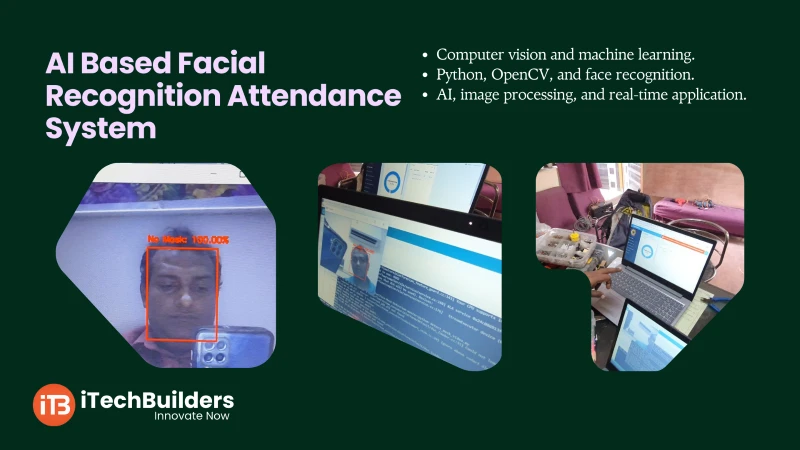
The AI-based Facial Recognition Attendance System is an innovative project that uses computer vision and machine learning to automate student/staff attendance. It eliminates manual roll calls and biometric touch systems by using face recognition technology. With Python, OpenCV, and face recognition libraries, this project is an excellent way to learn AI, image processing, and real-time applications.

“AI-based attendance system ensures contactless, fast, and accurate attendance tracking using face recognition.”
Why Build a Facial Recognition Attendance System?
- Automates attendance process in classrooms/offices
- Contactless and hygienic (no touch required)
- Reduces errors in manual roll calls
- Stores attendance logs digitally
- Great learning project for AI and IoT integration
Key Features for Students
- Uses Python with OpenCV and face_recognition library
- Real-time webcam-based detection
- Matches faces against pre-stored database
- Marks attendance with timestamp in CSV/Excel
- Scalable for schools, offices, and events
System Basics
The facial recognition system uses a camera to capture images, compares them with a stored database, and marks attendance automatically. It involves face detection, encoding, and recognition.
Core Components
- Camera (USB/Webcam)
- Python + OpenCV
- Face_Recognition library (Dlib-based)
- Attendance database (CSV/Excel/SQL)
- User image dataset
Quick Specs
- Accuracy: 95%+ (with good lighting)
- Real-time detection speed
- Can store 1000+ user profiles
- Runs on PC/Raspberry Pi
- Integrates with IoT dashboards
First Project: Attendance with Face Recognition
This project detects a face using a webcam, compares it with the dataset, and if matched, marks attendance in a CSV file with name and timestamp.
Code Example:
import cv2
import face_recognition
import numpy as np
import csv
from datetime import datetime

video = cv2.VideoCapture(0)
known_image = face_recognition.load_image_file("student.jpg")
known_encoding = face_recognition.face_encodings(known_image)[0]

students = ["Student1"]
attendance = {}

while True:
    ret, frame = video.read()
    rgb_frame = cv2.cvtColor(frame, cv2.COLOR_BGR2RGB)
    face_locations = face_recognition.face_locations(rgb_frame)
    face_encodings = face_recognition.face_encodings(rgb_frame, face_locations)

    for face_encoding in face_encodings:
        matches = face_recognition.compare_faces([known_encoding], face_encoding)
        if True in matches:
            name = students[0]
            if name not in attendance:
                now = datetime.now()
                current_time = now.strftime("%H:%M:%S")
                attendance[name] = current_time
                with open("Attendance.csv", "a") as f:
                    writer = csv.writer(f)
                    writer.writerow([name, current_time])
            cv2.putText(frame, name, (50,50), cv2.FONT_HERSHEY_SIMPLEX,1,(0,255,0),2)

    cv2.imshow("Attendance", frame)
    if cv2.waitKey(1) & 0xFF == ord("q"):
        break

video.release()
cv2.destroyAllWindows()
Learning Outcomes:
- Understand face detection and recognition process
- Learn how to integrate Python with AI libraries
- Gain hands-on experience with OpenCV
- Build a real-world AI-based application
Next Steps & Applications
After building the basic attendance system, students can expand it with cloud-based storage, IoT dashboards, and SMS/email notifications. It can be applied in schools, offices, events, and secure access control systems.
Get Started with AI Projects at iTechBuilders
iTechBuilders provides AI project kits, tutorials, and mentorship for students, schools, and AI enthusiasts. Whether you are starting from zero or building advanced AI-based projects, we offer DIY kits, workshops, and project guidance. Contact us to kickstart your AI learning today!

RUCHI SRIVASTAVA
Nice project... Best shop for electronic project in kanpur